Help
Getting started
What do I need to start?
A read-only reporting key from the mediation that serves your ads: AppLovin MAX or Admost. That is enough for Home, Why and LTV.
The rest is optional. App Store Connect and Google Play add purchase money. Adjust adds installs, spend and campaigns. Firebase adds first-session paths for apps without Admost. AdMob and RevenueCat cannot be connected yet.
Every key is stored encrypted. We only read reports.
How long until I see data?
Yesterday arrives first, then the last 45 days, one day at a time. Most sources finish in a few minutes.
Admost builds its report on demand, about 2 minutes per day, so 45 days take about an hour and a half per app. The Connections page shows how far each source has got.
Why does Home show yesterday?
A day is complete only after it ends. Sources publish a day some hours after midnight and correct the last few days after that. Home compares yesterday with the 7 days before it.
When a store has not published yesterday yet, the card names the day it shows.
Do I need an SDK?
No. arpdaily reads the reports your accounts already produce, with read-only keys. Nothing is installed in your app, and arpdaily never writes to your accounts.
What counts as an app?
One product. The iOS and Android versions of the same game are one app with two platform rows. Pages show them together; the Platform filter splits them.
Sources
AppLovin MAX
Gives ad revenue, impressions and eCPM by network, country and format; users seeing ads and revenue per user; install cohorts with retention and revenue.
- Sign in to the AppLovin dashboard.
- Open Account → Keys.
- Copy the Report Key. Not the SDK Key, the Management Key or the Ad Review Key.
The Report Key reads reports only.
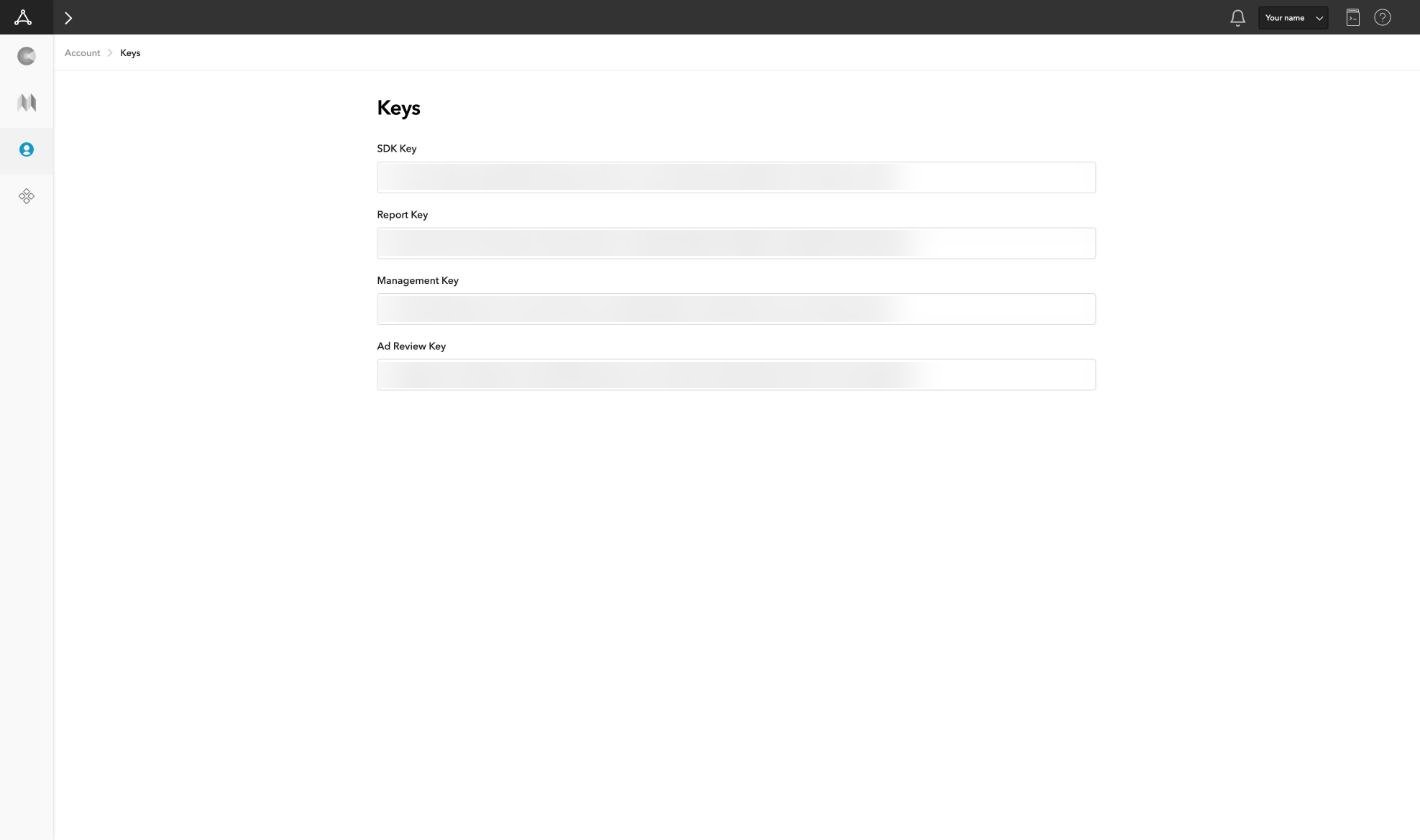
We read the MAX reporting API (revenue by app, network, country and format), the user-level ad revenue report and the cohort API. Each day is read again for 3 days while revenue settles.
Admost
Admost does not show the publisher API key in its console. Ask your Admost account manager for it. We only read reports.
Gives ad revenue, impressions and eCPM by network, country and format; revenue per player, purchases per player, A/B test groups and first-day events.
We read the user-level daily report, the network report and the first-day events report. Admost builds each report on request, about 2 minutes per day and report.
Adjust
Gives installs, active users, sessions, retention, spend, and campaigns down to ad group and creative.
- Open Account Settings from the profile menu.
- Open My profile.
- Click the eye next to API token to show it, and copy it.
The token carries your Adjust user's access, so use a user who can see the apps' reports. Reset API token revokes the old token: arpdaily stops loading Adjust until you paste the new one.
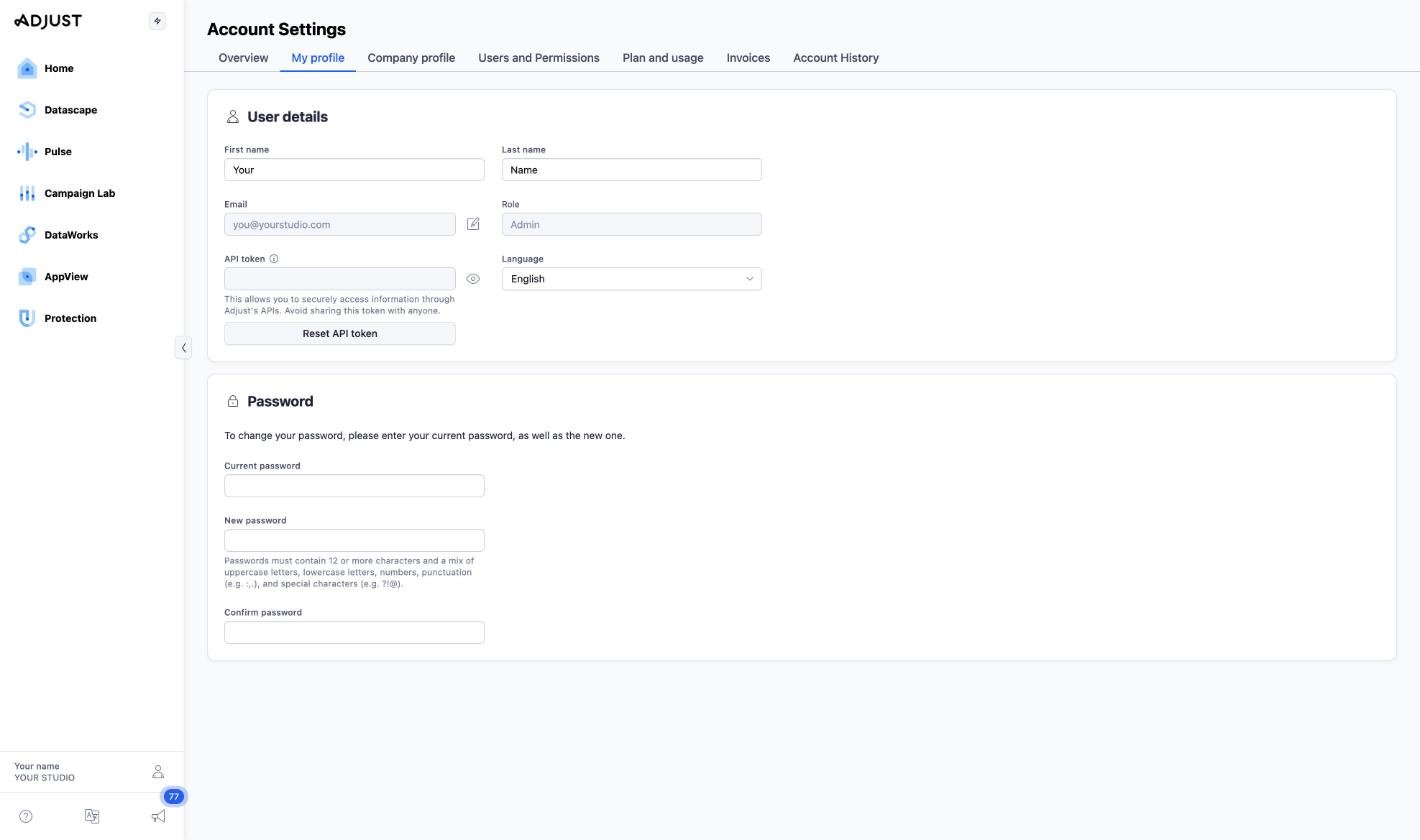
We read Adjust's Report Service only. Each pull covers the last 32 days, because retention keeps changing until day 30.
App Store Connect
Gives purchases and subscriptions, net proceeds by country and product, new subscriptions and renewals apart.
- Open Users and Access → Integrations → App Store Connect API → Team Keys.
- Copy the Issuer ID at the top.
- Click + to generate a key. Name it and give it Sales and Reports access. Finance works too; Admin is more than we need.
- Download the .p8 file. Apple offers the download once. Paste the file's contents into the form.
- Copy the Key ID from the key's row.
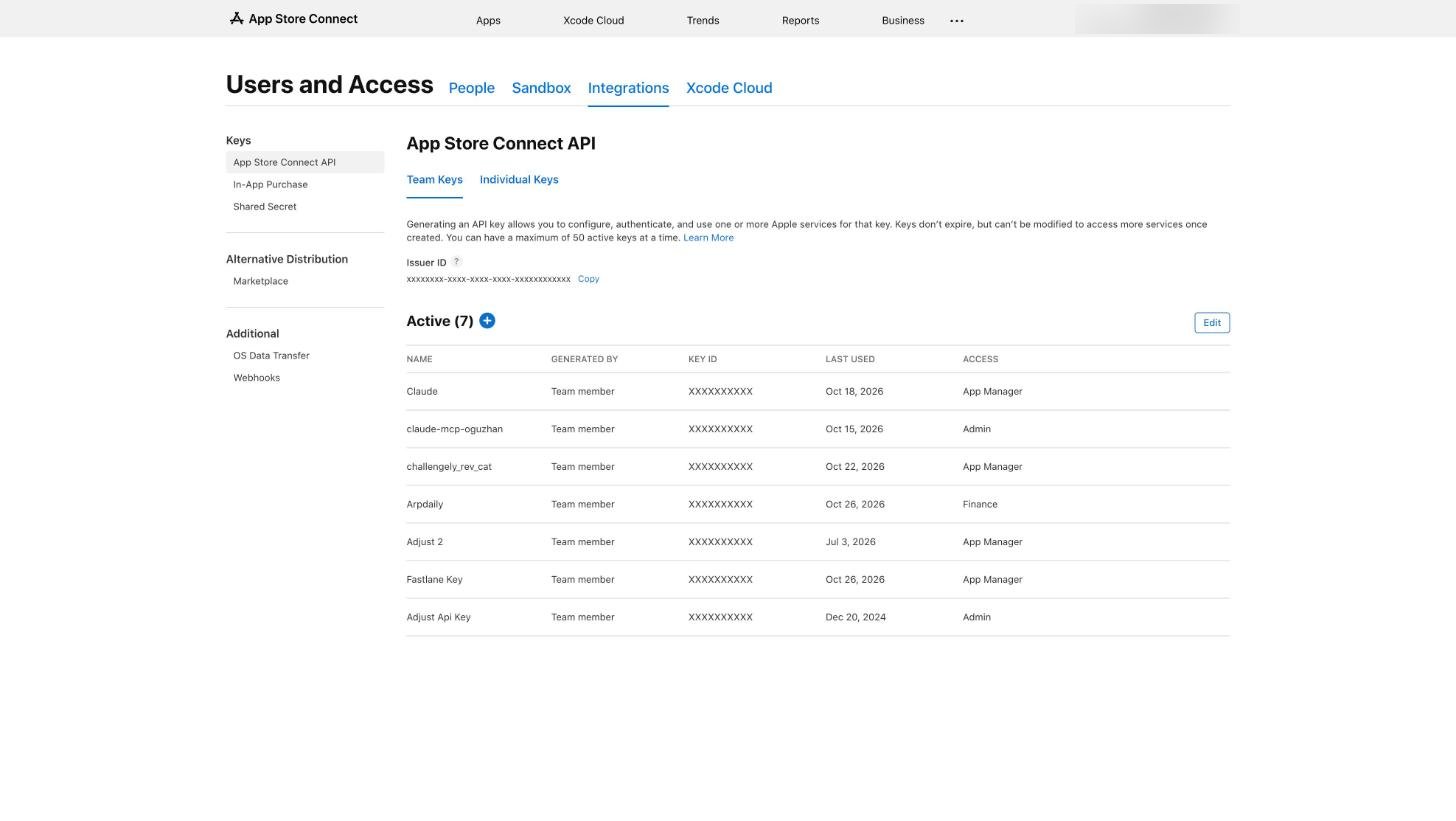
- Open Payments and Financial Reports. The vendor number is at the top.

We read the daily sales report. Apple cuts days in Pacific time and reports proceeds after its commission and taxes. Each day is read again for 2 days.
Google Play
Gives purchases and subscriptions, proceeds by country and product; exact once the monthly statement arrives.
- In the Google Cloud console, open IAM & Admin → Service accounts → Create service account. It needs no project roles.
- Open the new account → Keys → Add key → Create new key → JSON. Paste the downloaded file's contents into the form.
- In Play Console, open Users and permissions → Invite new users. Enter the service account's email and give it View financial data and View app information and download bulk reports.
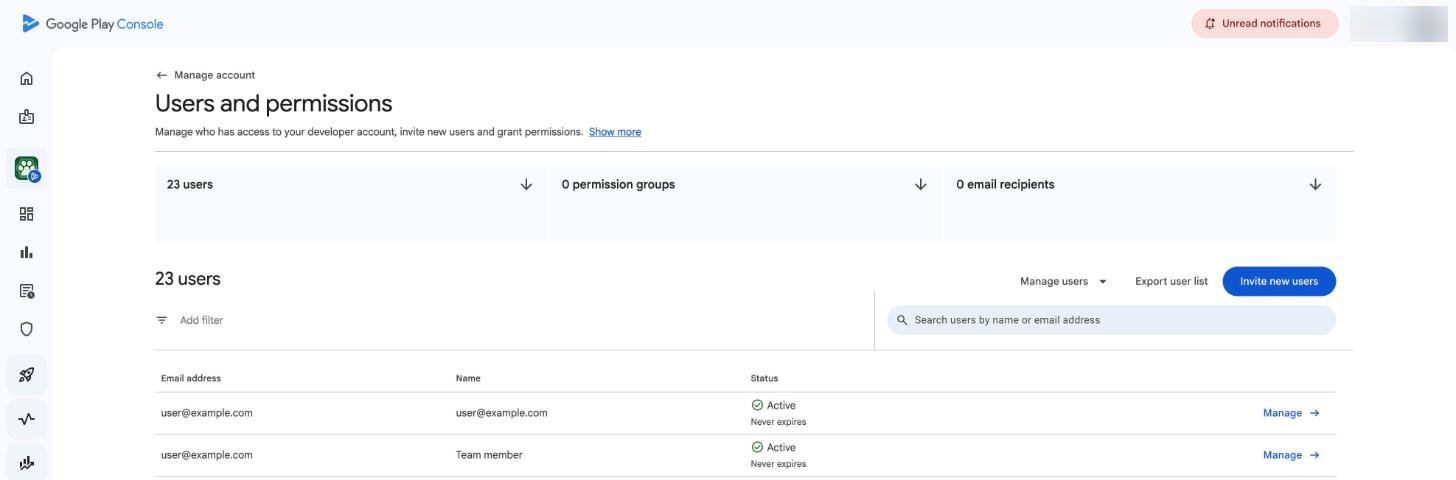
- Open Download reports → Financial and click Copy Cloud Storage URI. That is the reports bucket, gs://pubsite_prod_…. Paste it with or without gs://.
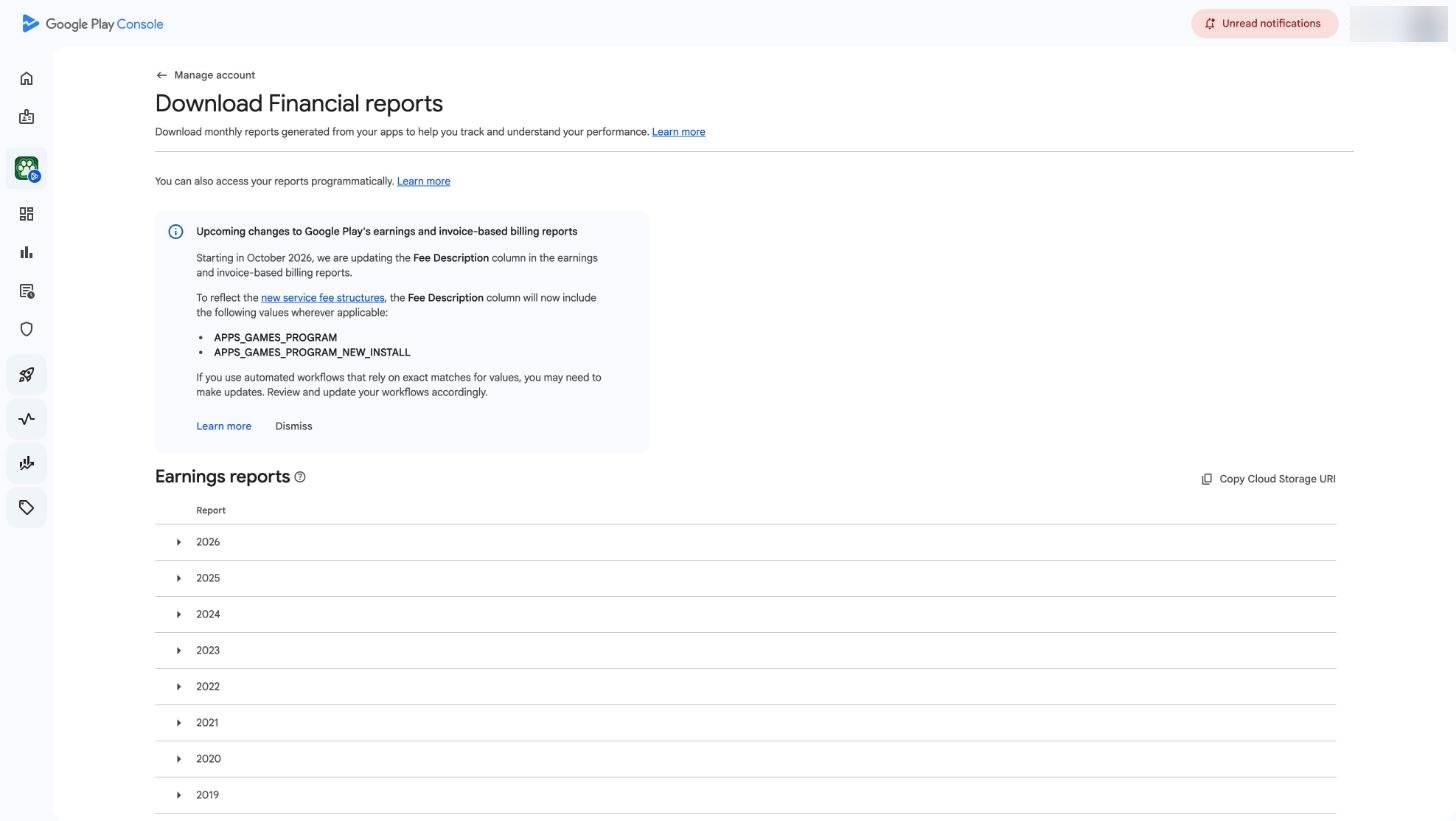
Access to the bucket can take a few hours, up to a day, after the invite. Until then the form says the key has no access; try again later.
We read two files in the bucket: the monthly sales report, refreshed through the month, and the earnings statement a few days into the next month. The statement replaces the month's estimates with the exact payout.
Firebase
Gives first-session paths and onboarding steps of new players, for apps without Admost.
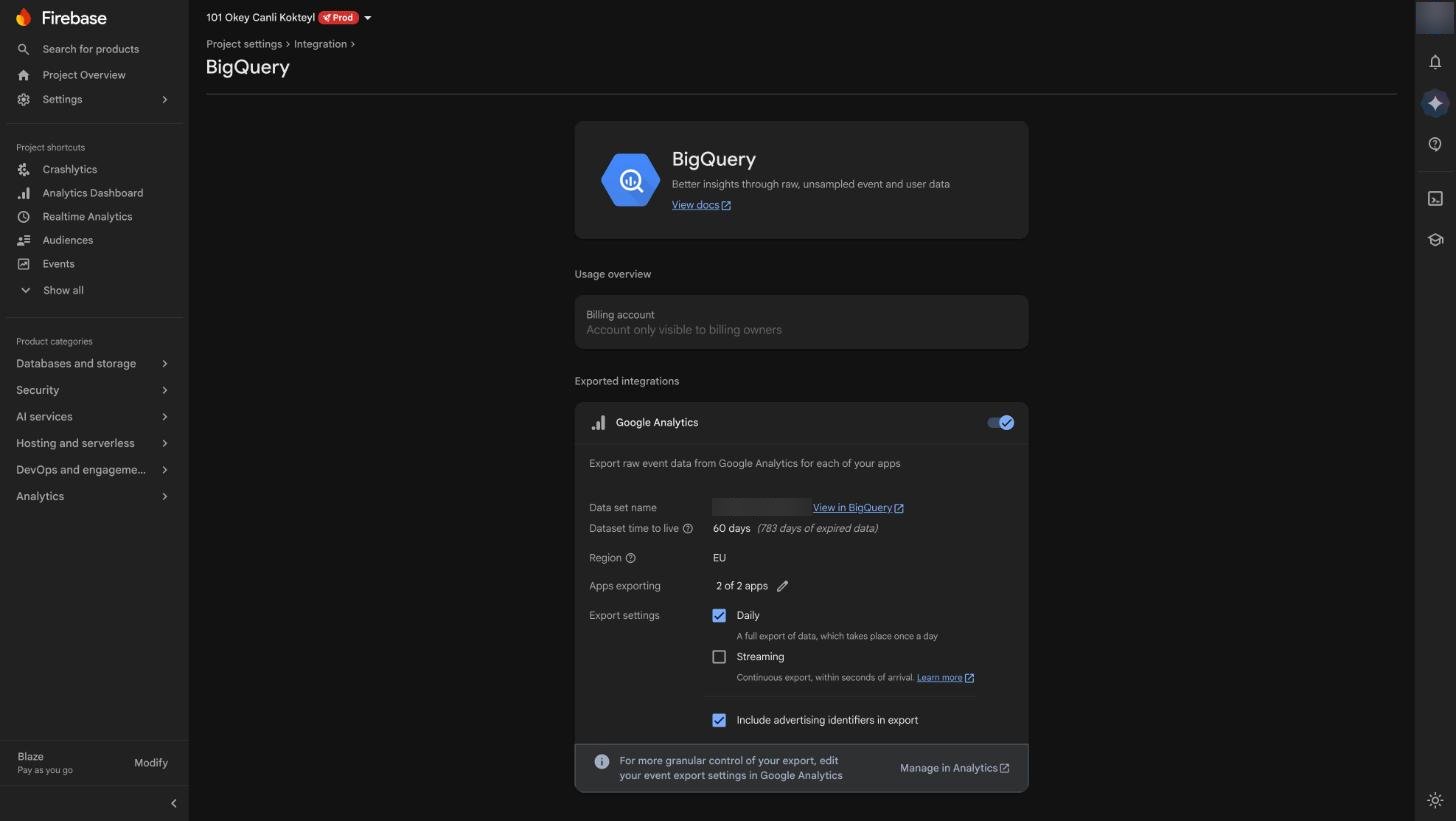
- Open Project settings → Integrations → BigQuery. Turn on the export for Google Analytics, with Daily checked.
- The dataset is analytics_<property id>. The BigQuery project is your Firebase project id.
- Open Project settings → Service accounts → Generate new private key. Paste the JSON file's contents into the form.
- The experiment user property is optional. Fill it in if your tests set one.
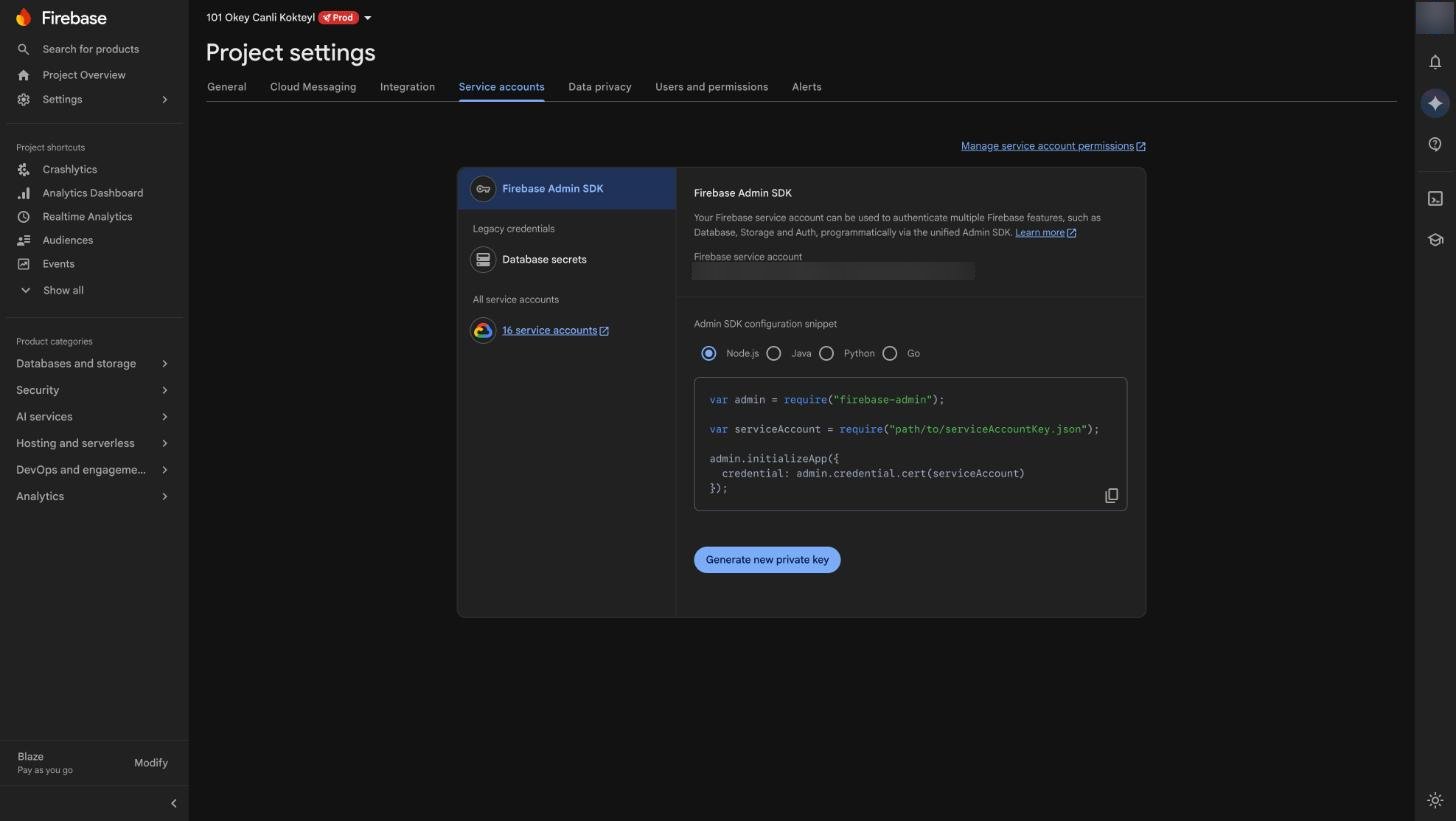
The key needs BigQuery Data Viewer and BigQuery Job User on the project. For a key that can do nothing else, create a service account with only those two roles in the Google Cloud console and use its JSON key instead.
The export starts the day you turn it on; earlier days are not exported.
We run daily aggregate queries in your BigQuery project: new players per install day and when each event first fired in their first 24 hours. Raw events stay in your project; we never copy them.
Which source should I connect first?
The mediation that serves your ads: AppLovin MAX, or Admost if your apps run on it. Then the stores for purchase money, then Adjust for installs and spend.
Can I connect two mediations?
One mediation per app. When a second system sees the same ads, such as Admost's SDK inside a MAX app, ad revenue comes from the one that serves them and the second is never added. Admost still gives revenue per player and test groups for that app. Different apps can use different mediations.
The same app appears in two sources. What happens?
It becomes one app. Apps are matched by name and store id, so the MAX row and the App Store row of the same game land on the same app. Each number still comes from one source.
How do I add an app later?
Connections → Manage on the source. The app list is read again from the source; pick the new app and its last 45 days load.
How do I replace a key or remove a source?
Connections → Manage on the source. A new key replaces the old one and keeps the history. Removing a source deletes the connection and what it loaded.
To remove a whole workspace, see Deleting a workspace.
How do I revoke access on my side?
Revoke or regenerate the key in the source. The connection then shows "Key rejected" or "No access" on Connections.
- AppLovin MAX: the dashboard has no button for a new Report Key; ask AppLovin support to rotate it. Other tools that use it need the new one too.
- Admost: ask your account manager for a new publisher API key.
- Adjust: Reset API token on My profile.
- App Store Connect: revoke the key in Team Keys.
- Google Play: remove the service account in Users and permissions, or delete its key in the Google Cloud console.
- Firebase: delete the service account's key in the Google Cloud console.
Numbers
Why is my revenue different from my dashboard?
Days are cut in UTC; the App Store cuts them in Pacific time. A dashboard set to local time splits days differently. Totals over a week agree.
Ad revenue is what the mediation reports for its own impressions. Ad networks' dashboards count their own way.
The stores report net proceeds, after their commission and taxes, not list prices.
Google Play's daily numbers are estimates. When the monthly statement arrives, it replaces the month with the exact payout, converted to USD from the statement's currency.
What is eCPM here?
Revenue ÷ the mediation's own impressions × 1,000.
What is "Users seeing ads"?
Users with at least one ad impression that day, from the mediation. Players who saw no ad are not in it, so it is not DAU. DAU appears when Adjust, Firebase or Admost is connected.
Who is a new user?
With Adjust connected, an Adjust install. Without it, the source that carries your users: Admost counts a player once its SDK starts, Firebase counts first opens, MAX counts the first contact with its SDK. MAX's count runs higher than Adjust's because it also counts reinstalls.
Why does retention differ from Adjust?
Different denominators and day rules. Adjust counts store installs and measures days in 24-hour steps from the install. Admost and Firebase count players who open the app on the next calendar day. D1 can differ by a few points; D7 nearly agrees. One table never mixes them.
When two sources measure the same thing, which wins?
One source per number, never summed or averaged. Ad revenue: the mediation that serves the ads. Purchase money: the stores. Installs, DAU, spend and retention: Adjust when connected. Breakdowns per player (tests, versions, first session): Admost, else Firebase, else MAX. The row names its source.
Why did yesterday change?
Sources restate recent days: ad revenue settles over a few days, the stores re-issue reports, Adjust's retention moves until day 30. We read each source's recent days again every day, so the latest days can change until they settle.
Which currency?
USD everywhere. Store sales in other currencies are converted at the day's rate.
Account
Verifying your email
After sign-up we email you a link. Until you open it, arpdaily shows only "Check your inbox", with a button to send the link again. The link lives 7 days.
Resetting a password
On the sign-in page, click "Forgot your password?". We email a link that works for 30 minutes.
Members
Not yet. Each workspace has one owner today.
Deleting a workspace
Not in the app yet. Email [email protected] from the owner's address. The workspace and its data are deleted 30 days later.
How long are user-level rows kept?
90 days. After that only cohort and daily totals remain.
Plans and billing
How is plan DAU measured?
The 30-day average of daily active users across your apps. One app on two platforms counts once per platform, never twice per user.
What happens if I go over?
Nothing locks. You get 30 days to move up.
Yearly billing
A year costs ten months: two months free.
VAT
Handled at checkout, once billing opens.
Invoices
Billing is not live yet, so there are no invoices. Free covers everything today.
Privacy
What do you store?
Daily totals per app, country and day. Rows about single users, such as ad revenue per player, for 90 days. Your keys, encrypted at rest with a key kept on the server. Your email address and a hash of your password.
Where is it stored?
On our server and database host, both in a datacenter in Turkey.
Who sees it?
Members of your workspace. Our staff only with your permission.
Contact
[email protected]. The full policy is on the Privacy page.